
Command palette
The palette is Git Pal's home. Press the global shortcut from any app to open it, it hides as soon as it loses focus and reopens on the home page.
Home
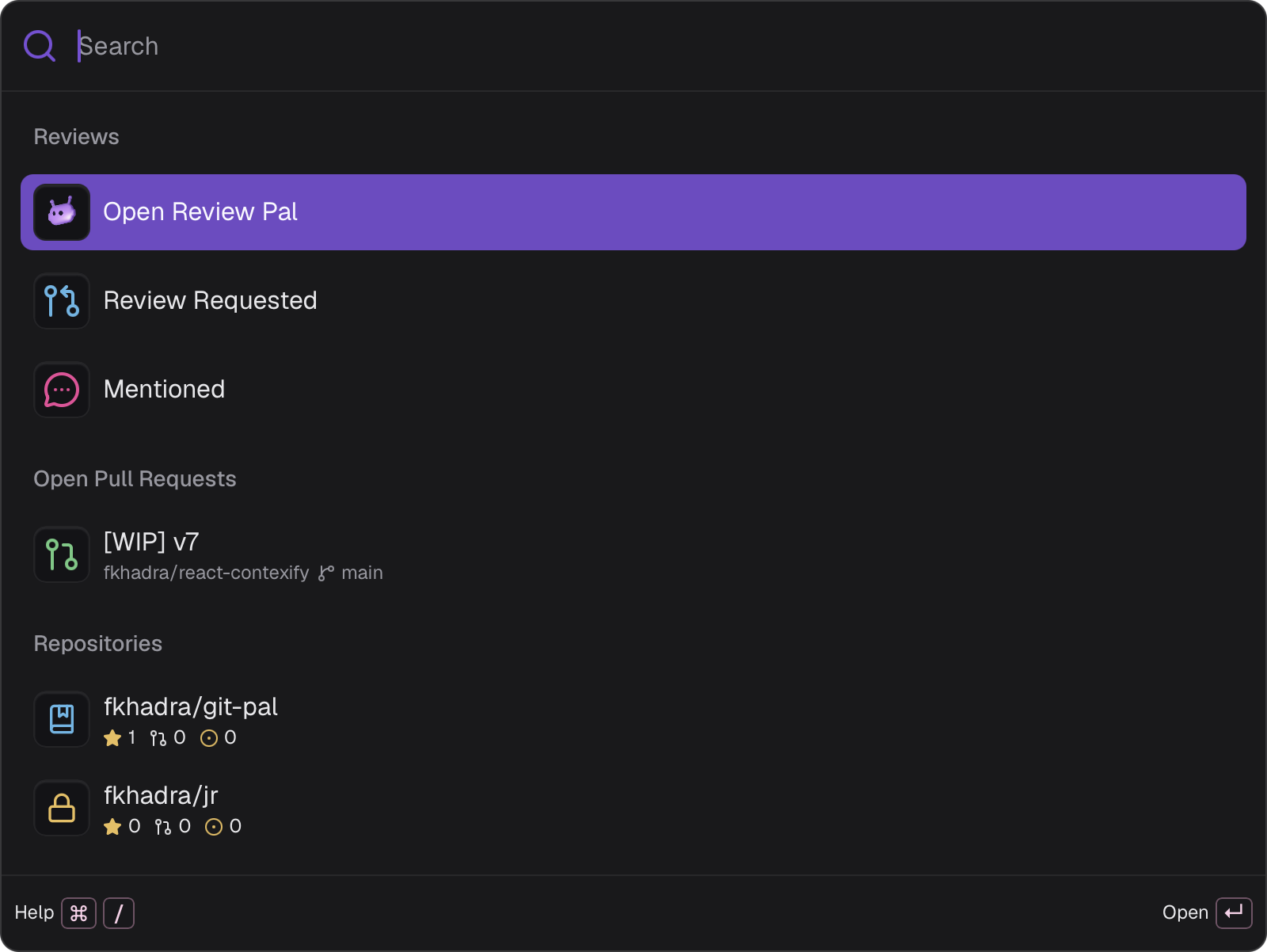
Type to filter the current page. Press Backspace on an empty search, or Esc, to go back. Esc on the home page hides the palette.
Review Requested, Mentioned, notifications and repository lists follow your search scope. Your own pull requests always show.
Pull requests
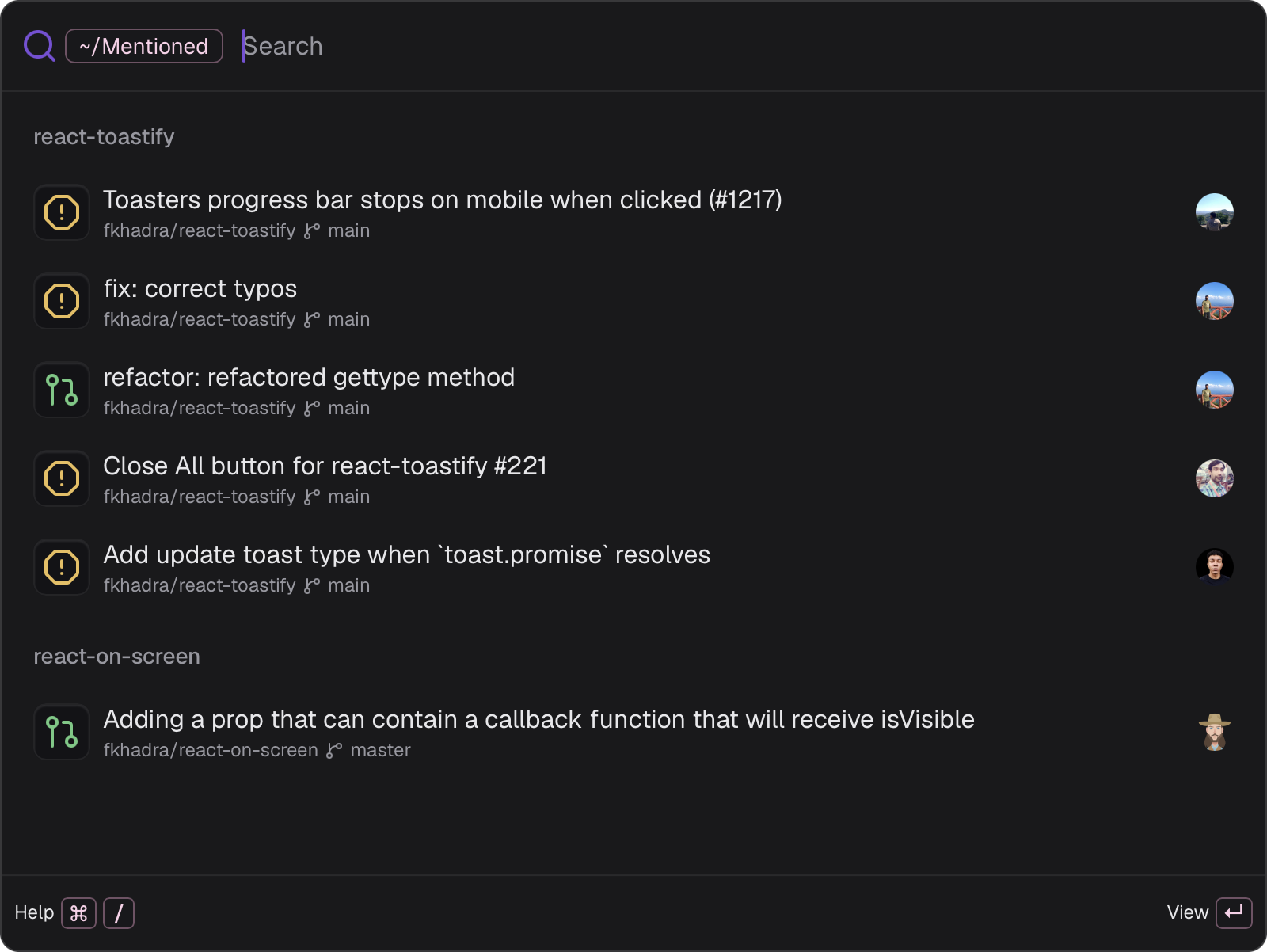
Each pull request shows its repository, base branch, status and review decision.
The badge on the right is GitHub's review decision: Approved, Review required or Changes requested.
Repositories
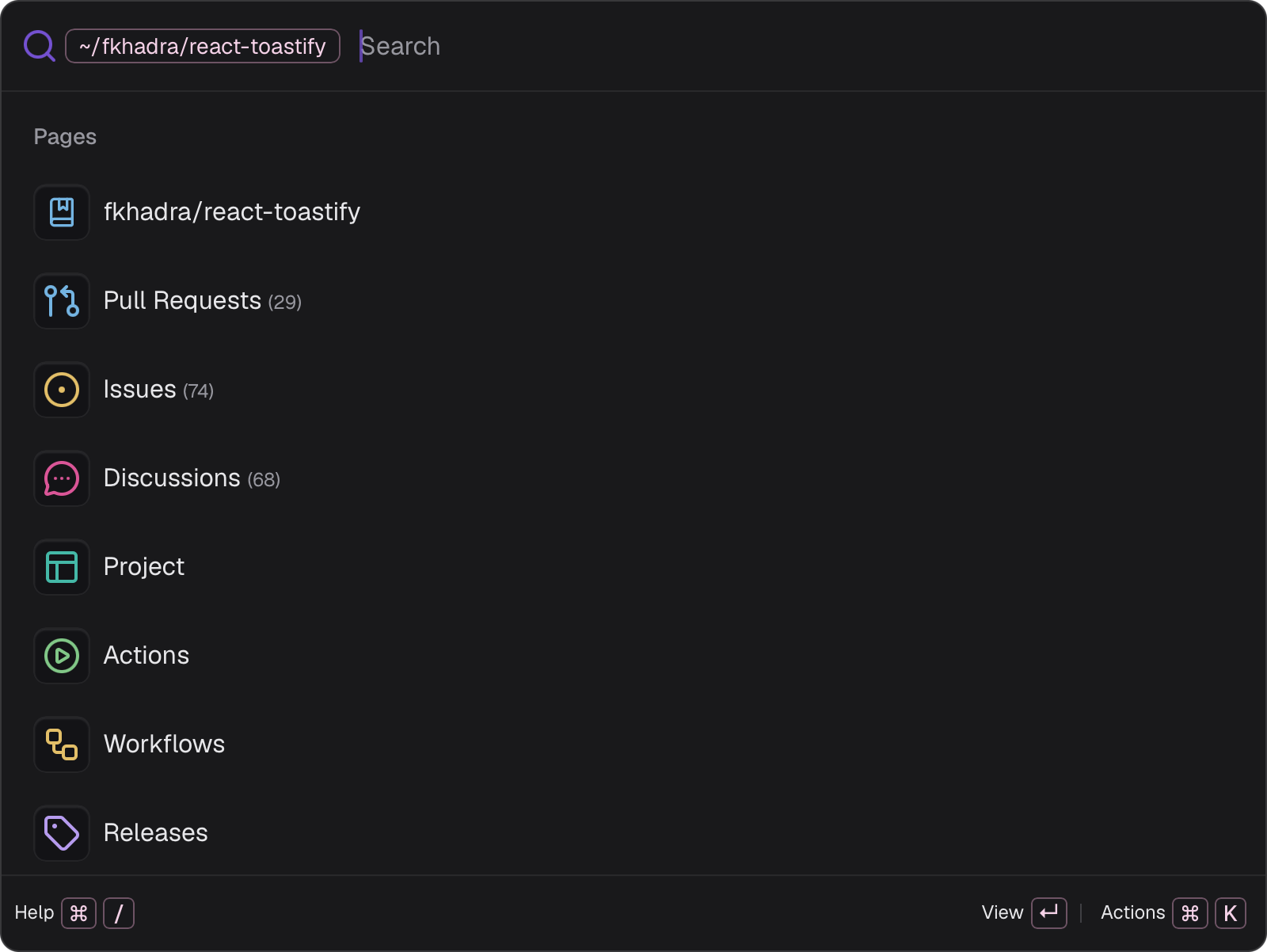
Select a repository to browse it:
- Pull Requests: its open pull requests, searched on GitHub as you type.
- Issues, Discussions, Project, Wiki, Actions and Releases: open on GitHub.
Filter by author
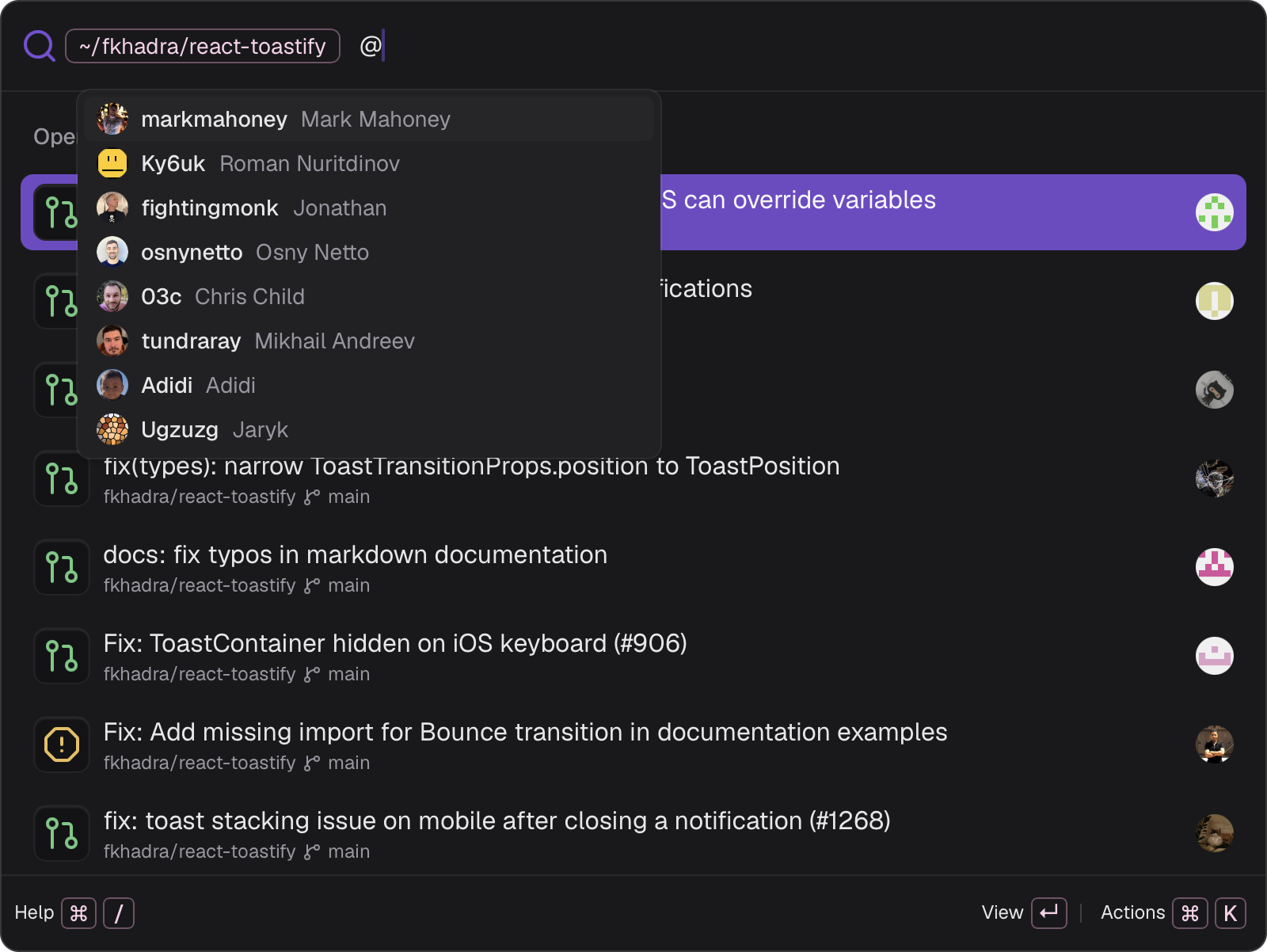
On a repository's pull requests, type @ followed by a login. Pick a suggestion with ↵ or Tab and it becomes a chip. Add as many authors as you like, Backspace on an empty search removes the last one.
Organizations
↵ on an organization browses its repositories, searched on GitHub as you type. Tab opens it on GitHub.
Code search
Press ⌘ F on a repository or an organization, type your query and press ↵. The results open in GitHub's code search.
Actions
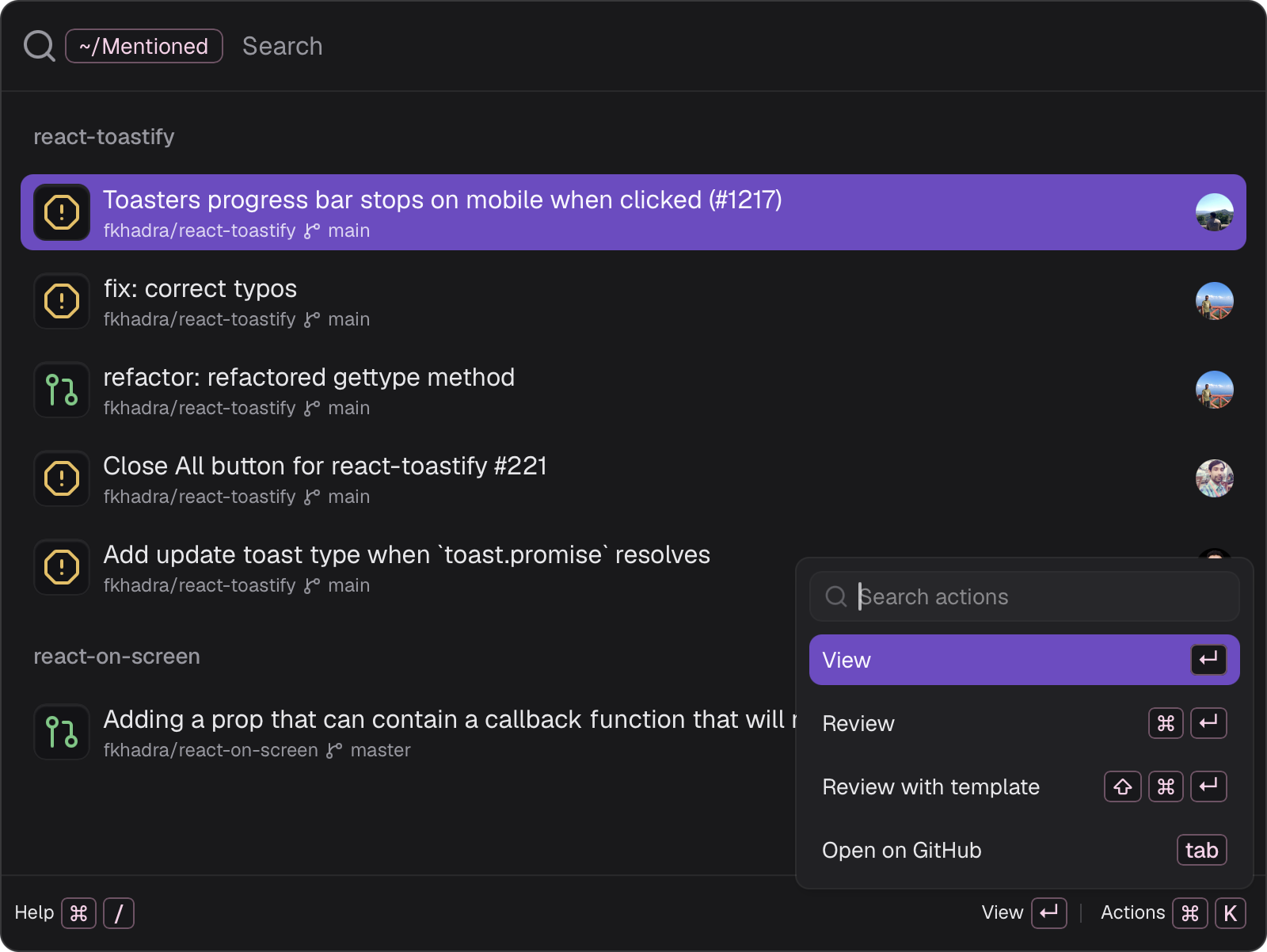
Press ⌘ K to list every action available on the selected item, with its shortcut. The footer shows the main one.
Shortcuts
Windows and Linux use Ctrl where macOS uses ⌘. Press ⌘ / in the palette to see yours, change them in Settings > Shortcuts.
Notifications
With Review requests turned on in Settings > General, Git Pal checks GitHub every 20 seconds by default and notifies you when someone requests your review. Click the notification to open the pull request.
You're also notified when an agent finishes a review while the review window isn't focused.